Custom puzzles · laser cut + CMYK printed
Turn your favourite photo into a puzzle keepsake
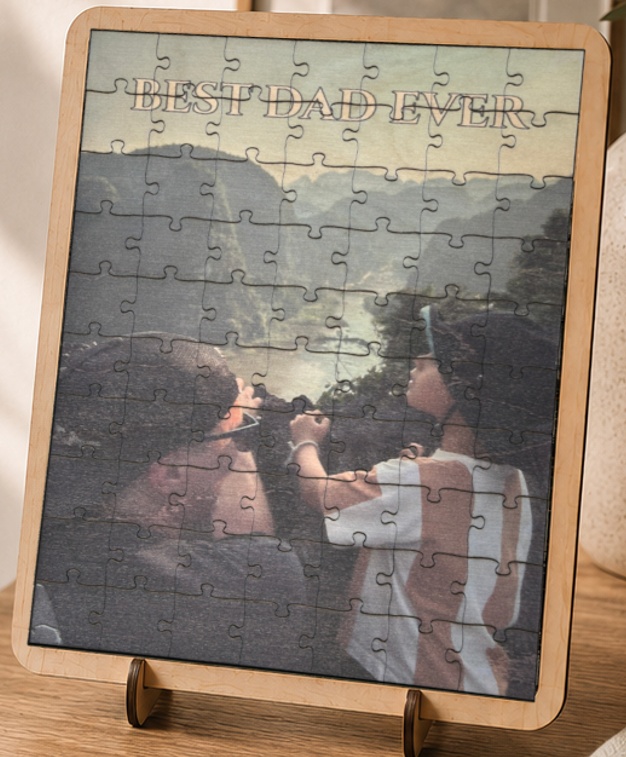
Upload a photo and we'll turn it into a personalised jigsaw puzzle — laser cut and CMYK printed by hand in Sydney, with an optional laser-cut border and backing board so it's ready to display.
- Laser-cut jigsaw pieces, printed with your photo
- A fixed piece count by size, so detail is never lost
- Laser-cut border & glued backing board, ready to display
- Checked by a real person before anything is cut
1Upload your photo
or click to upload JPG / PNG / WebP
Showing a sample photo — upload your own above to design your own puzzle.
Off by default so scrolling the page past the canvas can't accidentally zoom your photo. Turn this on, then drag the photo directly on the canvas (under "Finished puzzle") to reposition it, or scroll/pinch on it to zoom.
2Puzzle size
48 pieces
Fixed piece counts per size — smaller pieces lose photo detail, so we don't let this run away on you.
3Personalise
Tip: drag the text directly on the photo (under "Finished puzzle") to move it, or grab its ⟳ handle to spin it.
More text options
This line moves and rotates independently — drag it on the photo separately from the first line, or grab its ⟳ handle to spin it.
More text options
4Order
Standard turnaround — a real person reviews every order before printing.
We'll only use these details and your design to get back to you — see our privacy policy.
Every order gets a free file and production review before printing — a real person checks it over and confirms we're good to make it.
Photo: turn on "Enable drag/scroll to reposition" in Step 1, then drag the photo to reposition it, scroll or pinch on it to zoom in/out (or just use the slider — that one always works). While it's off, dragging/scrolling the canvas navigates your view instead, same as below. View: the −/Fit/+ buttons above always zoom your on-screen view, not the puzzle itself — handy for checking fine detail. In "Try solving it", scroll over a piece to rotate it (scroll over empty space to zoom your view instead), and drag empty space to pan around.